Invoice Details
Parks & Rec > Invoice Search > edit invoice
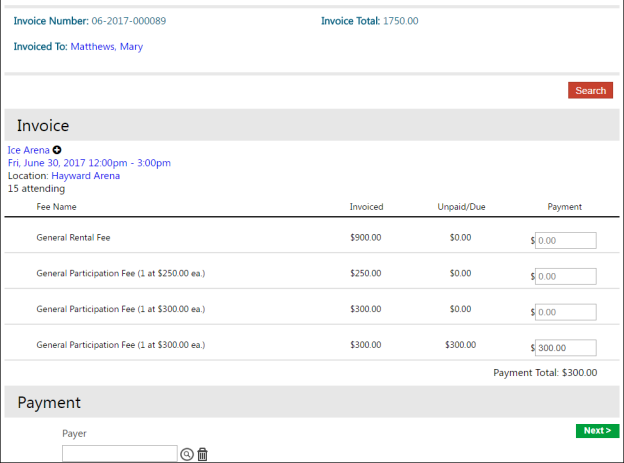
When you click the Edit icon for an invoice, the Invoice Details page opens, indicating the invoiced and unpaid/due amounts. Discounts are included in the Fee Name column and indicated with a negative (-) dollar amount.
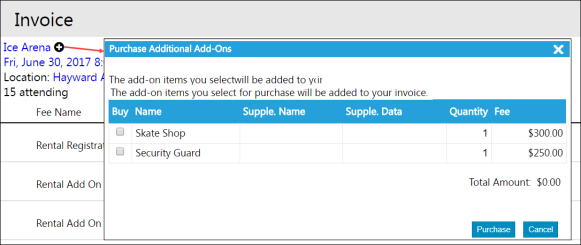
Clicking the plus (+) button next to the main item on the invoice opens the Purchase Additional Add-Ons page, which allows you to purchase additional add-on items available for the class or facility.
To process an invoice payment, select a payer and click Next. The page refreshes to display the Payment Method and Pay options.

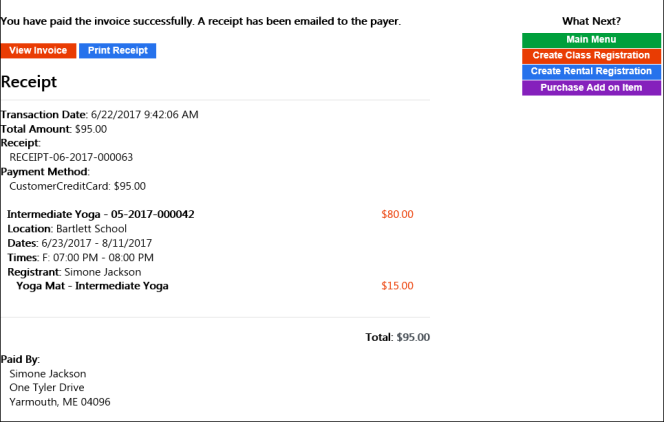
When you complete the payment, the program provides the Receipt page, allowing you to view the invoice, print the receipt, or select another purchase option. When an account has a credit, the Invoice Details page includes the credit as an available payment method.